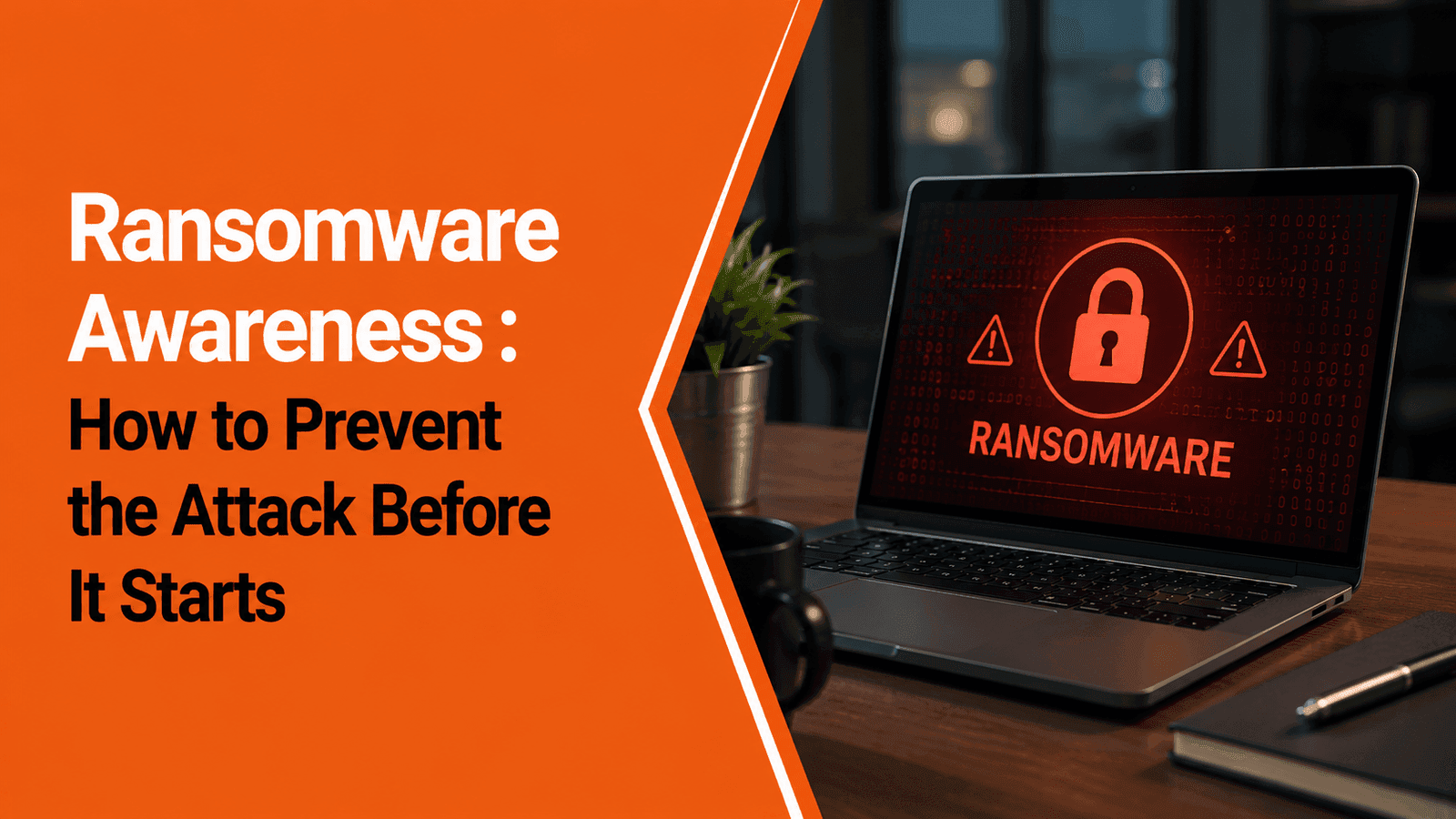
Ransomware Awareness for Employees: How to Prevent the Attack Before It Starts

Ransomware Awareness for Employees: How to Prevent the Attack Before It Starts

Team Innvikta

Team Innvikta

Published: 18 Jul 2026 • 05 Mins read

Ransomware Awareness for Employees: How to Prevent the Attack Before It Starts

Ransomware is malicious software that blocks access to systems or encrypts files, preventing organizations from using their data until attackers' demands are met. While technical security controls are essential, many ransomware attacks begin with human actions such as clicking a phishing email, downloading a malicious attachment, or using compromised credentials. Security awareness training helps employees recognize these threats before they lead to business disruption.

Key Takeaways

  1. Ransomware remains one of the most disruptive cyber threats affecting organizations of all sizes.

  2. Most ransomware attacks begin with phishing, stolen credentials, or software vulnerabilities.

  3. Employees play a critical role in preventing ransomware infections.

  4. Security awareness training helps employees recognize suspicious emails, links, attachments, and social engineering attempts.

  5. Organizations should combine employee education with technical security controls, backups, and incident response planning.

  6. Continuous phishing simulations and ransomware awareness campaigns improve organizational resilience.

What Is Ransomware?

Ransomware is a type of malware designed to deny access to files, systems, or networks by encrypting data or locking devices. Once access is blocked, attackers demand payment in exchange for restoring access or preventing the release of stolen information.

Modern ransomware attacks rarely focus only on encryption. Many attacker groups now use double extortion, where they first steal sensitive information and then encrypt systems. Victims are threatened with public disclosure of confidential data if demands are not met.

The impact of ransomware extends beyond IT systems. It can disrupt operations, delay customer services, interrupt manufacturing, affect supply chains, and damage organizational reputation.

Why Ransomware Continues to Be a Major Threat?

Ransomware has evolved from isolated attacks into highly organized cybercrime operations.

Several factors contribute to its continued success:

Attackers Target People, Not Just Technology

Cybercriminals know that convincing an employee to click a malicious link or open an infected attachment is often easier than bypassing multiple layers of technical security.

AI Makes Attacks More Convincing

Artificial intelligence enables attackers to create more realistic phishing emails, impersonate trusted contacts, and generate persuasive messages that are difficult to distinguish from legitimate communication.

Remote and Hybrid Work Increase Exposure

Employees working from multiple locations often connect through home networks, personal devices, and cloud applications, expanding the attack surface available to cybercriminals.

Every Industry Is a Target

Healthcare, education, finance, manufacturing, retail, government, and technology organizations have all experienced ransomware incidents.

Attackers increasingly focus on organizations that rely on continuous operations, making downtime especially costly.

How Ransomware Attacks Begin ?

Contrary to popular belief, ransomware rarely appears without warning. Most attacks follow a sequence of events that includes human interaction.

Phishing Emails

One of the most common entry points is a phishing email containing:

  • Malicious attachments

  • Fake invoices

  • Password reset requests

  • Delivery notifications

  • Tax documents

  • Cloud storage invitations

Opening the attachment or clicking the link may download malware or redirect users to credential harvesting websites.

Stolen Credentials

Weak or reused passwords allow attackers to access business systems without needing malware.

Compromised accounts can be used to move laterally across the network before ransomware is deployed.

Malicious Downloads

Employees sometimes install unauthorized software, browser extensions, or fake updates that introduce ransomware into the organization.

Exploiting Vulnerabilities

Outdated operating systems, unpatched software, or exposed remote access services may allow attackers to gain unauthorized access.

Although technical teams manage patching, employees should install approved updates promptly and avoid delaying security patches.

Social Engineering

Attackers frequently impersonate:

  • IT support

  • Executives

  • Vendors

  • Banks

  • Government agencies

  • Customers

The objective is to persuade employees to reveal credentials, approve access, or execute malicious files.

Warning Signs Employees Should Never Ignore

Employees are often the first to notice unusual activity.

Potential warning signs include:

  • Unexpected password reset requests.

  • Emails creating unnecessary urgency.

  • Attachments you were not expecting.

  • Links directing to unfamiliar websites.

  • Login pages with unusual URLs.

  • Requests to disable antivirus software.

  • Computers suddenly slowing down without explanation.

  • Unknown software appearing on your device.

  • Files changing names or extensions unexpectedly.

  • Colleagues reporting suspicious emails from your account.

Reporting these indicators immediately allows security teams to investigate before a larger incident develops.

Best Practices to Prevent Ransomware

Preventing ransomware requires a combination of employee awareness and technical security measures.

HUMAN RISK MANAGEMENT

See Innvikta InSAT in Action

Explore how our interactive games, realistic phishing simulations, and gamified training modules dramatically reduce organizational human cyber risk.

© INNVIKTA SECURITY
YOUR DETAILS

Think Before You Click

Never open unexpected attachments or click suspicious links without verifying the sender.

If something seems unusual—even if it appears to come from a colleague—confirm the request using another communication channel.

Use Strong Authentication

Enable Multi-Factor Authentication (MFA) wherever available.

Avoid password reuse and use a password manager to generate unique credentials.

Keep Devices Updated

Install operating system and application updates promptly to reduce exposure to known vulnerabilities.

Avoid Unauthorized Software

Only download software approved by your organization's IT department.

Free utilities, pirated software, and unofficial applications frequently contain malware.

Report Suspicious Activity Immediately

Employees should report:

  • Suspicious emails

  • Unexpected system behavior

  • Lost devices

  • Unauthorized software

  • Unusual login requests

Early reporting often prevents attackers from expanding their access.

Participate in Security Awareness Training

Continuous learning helps employees recognize evolving ransomware techniques, phishing campaigns, and social engineering attacks before they succeed.

What Should Employees Do During a Suspected Ransomware Attack?

If you believe your device may have been affected:

Disconnect from the Network

If instructed by your organization's security policy, disconnect the affected device from the network to help limit further spread.

Do Not Attempt Self-Recovery

Avoid installing unknown tools or deleting files. Preserve the system for your IT or security team to investigate.

Report Immediately

Notify your IT help desk or security team as quickly as possible. Early reporting can reduce operational impact.

Do Not Engage with Attackers

Employees should never communicate with attackers or respond to ransom demands. Follow your organization's incident response procedures.

Document What Happened

Provide security teams with relevant details, including suspicious emails, links, attachments, or unusual system behavior that occurred before the incident.

Why Security Awareness Is the First Line of Defense ?

Many organizations invest in endpoint security, email filtering, backups, and threat detection. These technologies are essential, but they cannot eliminate every risk.

Employees make hundreds of security-related decisions each day.

Security awareness training helps employees:

  • Identify phishing attempts.

  • Verify unusual requests.

  • Recognize ransomware warning signs.

  • Handle attachments safely.

  • Protect login credentials.

  • Report incidents quickly.

Rather than acting as the weakest link, informed employees become an active layer of defense against ransomware.

How Innvikta Helps Organizations Strengthen Ransomware Resilience ?

Preventing ransomware requires more than awareness presentations. Organizations need practical learning experiences that prepare employees for real-world attacks.

Innvikta's Security Awareness Platform helps organizations reduce ransomware risks through:

AI-Powered Phishing Simulations

Employees experience realistic phishing campaigns based on current ransomware delivery techniques.

Interactive Security Awareness Training

Training modules cover:

  • Ransomware awareness

  • Phishing prevention

  • Social engineering

  • Password security

  • Remote work security

  • Mobile security

  • Data protection

Human Risk Intelligence

Behavioral analytics identify employees most vulnerable to phishing and ransomware-related attacks, allowing organizations to deliver targeted interventions.

Continuous Microlearning

Short, engaging awareness content reinforces secure behaviors throughout the year rather than relying on annual compliance sessions.

Executive Reporting

Security leaders gain visibility into phishing resilience, reporting behavior, awareness engagement, and organizational human risk trends.

With Innvikta, organizations can transform employees into an effective first line of defense against ransomware.

Conclusion

Ransomware continues to evolve, but one fact remains consistent: many attacks begin with human interaction.

Employees who understand how ransomware spreads, recognize warning signs, and follow secure practices significantly reduce organizational risk.

Building ransomware resilience requires more than technology. It requires continuous awareness, realistic phishing simulations, clear reporting procedures, and a security-first culture.

By investing in ongoing employee education and Human Risk Management, organizations can reduce the likelihood of successful ransomware attacks while improving overall cybersecurity resilience.

Frequently Asked Questions

Ransomware is malware that encrypts files or blocks access to systems, disrupting business operations. Many modern attacks also involve stealing sensitive information before encryption.

Common entry points include phishing emails, malicious attachments, compromised credentials, vulnerable software, and social engineering.

Yes. Employees trained to recognize phishing attempts, suspicious links, and social engineering tactics are less likely to trigger ransomware infections.

No. Antivirus and endpoint protection are important, but they should be combined with employee awareness training, backups, patch management, access controls, and incident response planning.

Innvikta provides AI-powered phishing simulations, security awareness training, Human Risk Intelligence, behavioral analytics, and continuous learning to help organizations reduce human-related ransomware risks.

Related Articles

AI-Powered Phishing Simulations

AI-Powered Phishing Simulations

AI-Powered Phishing Simulations: Preparing Employees for Modern Phishing Attacks Phishing attacks are becoming more personalized, convincing, and difficult to detect—especially with the use of artificial intelligence. AI-powered phishing simulations help organizations safely test employee readiness using realistic attack scenarios, identify human risk, and deliver targeted security awareness training based on actual behavior rather than assumptions. 1. AI has made phishing attacks faster, more convincing, and highly personalized. 2. Traditional phishing simulations often fail to reflect today's threat landscape. 3. AI-powered simulations generate realistic campaigns based on current attack techniques. 4. Organizations can identify high-risk users and departments using behavioral analytics. 5. Personalized learning improves employee resilience over time. 6. Continuous phishing simulations are a core component of Human Risk Management. Phishing Has Changed—Has Your Security Awareness Program? Phishing has evolved dramatically over the past few years. Attackers no longer rely on poorly written emails filled with spelling mistakes and suspicious links. Today's phishing campaigns are crafted using artificial intelligence, public information, breached data, and social engineering techniques to imitate trusted individuals, brands, and business processes. Modern phishing attacks may impersonate: - Company executives - HR departments - IT support teams - Banks and financial institutions - Microsoft 365 or Google Workspace - Courier services - Vendors and suppliers - Government agencies Employees are no longer targeted with generic emails—they receive highly personalized messages designed to appear legitimate. To prepare employees for these threats, organizations need simulations that reflect the attacks they are likely to encounter in the real world. Why Traditional Phishing Simulations Fall Short Many organizations still rely on static phishing templates that rarely change. While these campaigns provide basic awareness, they often fail to mirror modern phishing techniques. Common limitations include: - Repetitive email templates - Predictable campaign timing - Generic landing pages - Limited personalization - Lack of role-specific scenarios - Minimal behavioral insights Employees eventually learn to recognize the training rather than the attack, reducing the effectiveness of simulations. As phishing tactics evolve, awareness programs must evolve with them. What Are AI-Powered Phishing Simulations? AI-powered phishing simulations use artificial intelligence to create realistic phishing campaigns that adapt to current threats and organizational needs. Instead of sending the same phishing email to every employee, AI can generate campaigns tailored to: - Employee roles - Departments - Industries - Current phishing trends - Attack techniques - Organizational policies - Learning objectives The goal is to safely assess employee readiness while reinforcing secure behaviors through practical experience. How AI Makes Phishing Simulations More Effective Dynamic Email Generation AI creates realistic phishing emails that resemble modern attacks, including: - Executive impersonation - Invoice fraud - HR announcements - IT password reset requests - Vendor communications - Cloud document sharing invitations - Event registrations This variety keeps simulations relevant and prevents employees from recognizing patterns. Personalized Campaigns A finance team faces different threats than HR or software developers. AI enables organizations to tailor phishing scenarios to each department, increasing the relevance and educational value of every campaign. Examples include: - Finance: Fake payment requests and invoice fraud. - HR: Recruitment scams and payroll updates. - IT: Password reset and software update notifications. - Sales: Customer document sharing requests. - Executives: Business Email Compromise (BEC) scenarios. AI-Generated Landing Pages Modern phishing attacks often include convincing login portals. AI-powered simulation platforms can create realistic landing pages that safely demonstrate how attackers attempt to steal credentials. Employees learn to identify warning signs before entering sensitive information. Adaptive Learning Recommendations Instead of assigning the same training to everyone, AI recommends learning modules based on employee performance. For example: - Employees who click phishing links receive additional phishing awareness training. - Users who repeatedly struggle with QR code scams receive focused Quishing modules. - High-performing employees receive advanced cybersecurity challenges. This personalized approach improves engagement while reducing unnecessary training. Human Risk Intelligence AI analyzes employee behavior across multiple campaigns to identify patterns and trends. Security teams gain insights into: - High-risk users - Department-level vulnerabilities - Phishing click rates - Credential submission attempts - Reporting behavior - Training effectiveness These insights help organizations focus resources where they are needed most. Benefits for CISOs and Security Teams Measure Real Human Risk Instead of relying on course completion rates, AI-powered simulations provide measurable evidence of employee behavior. Reduce Successful Phishing Attempts Repeated exposure to realistic phishing campaigns helps employees recognize suspicious messages before they become security incidents. Improve Incident Reporting Employees become more comfortable reporting suspicious emails, strengthening the organization's detection capabilities. Support Compliance Initiatives Many regulatory and security frameworks emphasize employee awareness as part of a comprehensive cybersecurity program. Phishing simulations help organizations demonstrate continuous security education and ongoing risk reduction. Executive Reporting Behavioral analytics enable CISOs to present meaningful security metrics to executive leadership and board members. Best Practices for AI-Powered Phishing Simulations Run Campaigns Throughout the Year Continuous testing reflects real-world conditions better than annual awareness exercises. Simulate Current Threats Update campaigns to include: - AI-generated phishing emails - QR code phishing (Quishing) - Smishing - WhatsApp phishing - Business Email Compromise - Cloud collaboration scams Focus on Learning, Not Punishment The objective is to educate employees rather than embarrass them. Provide immediate feedback and practical learning after each simulation. Personalize Training Different departments face different risks. Tailor simulations accordingly. Measure Improvement Over Time Track: - Click rates - Credential submission rates - Reporting rates - Repeat-risk users - Human Risk Scores Behavioral improvement is a better indicator of success than training completion alone. How Innvikta Delivers AI-Powered Phishing Simulations Innvikta's AI-powered phishing simulation platform is built to help organizations stay ahead of evolving phishing threats while reducing human cyber risk. AI Campaign Generator Create realistic phishing campaigns in minutes using AI-assisted content generation tailored to different industries, departments, and attack scenarios. Dynamic Landing & Login Page Generator Generate convincing yet safe phishing landing pages that replicate modern credential harvesting techniques for educational purposes. Role-Based Campaigns Deliver customized phishing simulations for: - Finance - HR - IT - Sales - Operations - Executive leadership - Customer support Human Risk Intelligence Measure employee behavior using: - Human Risk Scores - Department-level analytics - Click rates - Reporting behavior - Credential submission trends - Repeat-risk tracking Personalized Learning Employees automatically receive relevant awareness modules based on simulation outcomes, reinforcing learning where it is needed most. Executive Dashboards Leadership teams gain clear visibility into organizational phishing resilience through comprehensive reports and behavioral analytics. Measuring the Success of Phishing Simulations (H2) An effective phishing simulation program should answer key business questions: | Metric | Why It Matters | | --- | --- | | Phishing Click Rate | Indicates employee susceptibility to phishing attempts. | | Credential Submission Rate | Measures risk of sensitive information disclosure. | | Email Reporting Rate | Reflects employee vigilance and reporting culture. | | Human Risk Score | Provides an overall view of organizational cyber risk. | | Department Risk Trends | Helps prioritize targeted awareness initiatives. | | Repeat-Risk Users | Identifies employees requiring additional coaching. | | Training Improvement | Demonstrates behavioral progress over time. | These metrics provide meaningful insights for CISOs, security managers, and executive leadership. Conclusion Phishing remains one of the most common entry points for cyberattacks, but the nature of these attacks has changed significantly. Artificial intelligence enables attackers to create highly personalized, convincing phishing campaigns that traditional awareness programs may not adequately address. AI-powered phishing simulations give organizations the opportunity to prepare employees for these evolving threats through realistic, adaptive, and measurable learning experiences. By combining intelligent simulations, Human Risk Management, behavioral analytics, and personalized awareness training, organizations can transform employees into an effective first line of defense against phishing attacks. They are simulated phishing campaigns that use artificial intelligence to create realistic attack scenarios, helping organizations assess employee readiness and improve security awareness. Traditional simulations often use static templates, while AI-powered simulations generate dynamic, personalized, and role-specific phishing scenarios that better reflect modern attack techniques. Phishing simulations help identify employee vulnerabilities, improve reporting behavior, reinforce security awareness, and provide measurable insights into human cyber risk. The primary goal is education and risk reduction, not punishment. Effective programs use simulation results to provide targeted learning and strengthen the organization's overall security posture. Innvikta combines AI-generated phishing campaigns, dynamic landing pages, Human Risk Intelligence, personalized learning, executive dashboards, and continuous security awareness training to help organizations reduce phishing-related risks.

18 Sep 2026•05 Mins read
Spot the Phish: A Free Interactive Phishing Awareness Game From Innvikta

Spot the Phish: A Free Interactive Phishing Awareness Game From Innvikta

Think You Can Spot a Phishing Email Before It Spots You? Phishing doesn't always look suspicious. Sometimes it looks like: - A password-expiry notification - A payment or invoice request - A delivery failure - A message from your "CEO" - An account verification request - A document shared by HR The real challenge isn't knowing what phishing is. It's recognizing it when the email looks completely believable. 1. Most phishing emails today are designed to look routine, not suspicious. 2. Reading about phishing is not the same as practicing how to spot it. 3. Spot the Phish is a free, interactive game that simulates realistic email decisions. 4. Employees learn by doing - reviewing an email and deciding whether to report or trust it. 5. Repetition across realistic scenarios builds instinct, not just knowledge. 6. Practical practice like this fits naturally into any ongoing security awareness training program. Why Reading About Phishing Isn't Enough Most employees can define phishing. Far fewer can reliably spot it in their own inbox, under time pressure, while juggling ten other tasks. Ask someone in a training session whether they'd click a link from an unknown sender and almost everyone says no. Put the same person at their desk on a Friday afternoon with fifty unread emails, and the answer changes. That gap exists because traditional awareness content is passive. A slide deck or a policy document tells someone what phishing looks like in theory. It doesn't put them in the moment of deciding whether to click, forward, or report a message that looks entirely plausible - the exact moment where a real attack actually succeeds or fails. The Difference Between Knowing and Doing Security teams often assume that once someone has been "trained," the risk is addressed. But knowledge and behavior are not the same thing. An employee can pass a written quiz on phishing red flags and still click a well-crafted email a week later, because the quiz tested memory, not judgment under realistic conditions. Closing that gap requires something closer to rehearsal than instruction - repeated exposure to realistic decisions, with feedback, in a low-stakes environment. Introducing Spot the Phish That's why we built Spot the Phish - a free, interactive phishing-awareness game from Innvikta. You'll review realistic email scenarios and decide: Report Phishing or Mark as Safe. After each decision, you get to understand why the email is suspicious or legitimate - the specific sender detail, domain quirk, or urgency cue that gave it away. How the Game Works - Each round presents a realistic email scenario based on real-world phishing patterns - You make a call: Report Phishing or Mark as Safe - You get immediate feedback explaining the reasoning behind the correct answer - Scenarios cover a wide range of pretexts, from HR documents to executive requests - No account or corporate email is required to start playing This mirrors the actual moment of decision an employee faces at their desk - not a multiple-choice quiz about definitions. The feedback loop is the important part: getting an answer wrong and immediately seeing exactly what gave the email away builds pattern recognition far faster than a static list of warning signs ever could. The Kinds of Scenarios You'll See Spot the Phish scenarios are modeled on the pretexts that actually show up in employee inboxes - not obviously fake, spelling-error-riddled emails that no one would fall for. Expect scenarios built around: - Account verification and password-reset requests - Invoice and payment approval emails - Delivery and courier notifications - Messages that appear to come from a senior executive - Shared documents from HR or finance Each one is designed to force a genuine judgment call, the same way a real phishing email would. Practice, Don't Just Warn This Cybersecurity Awareness Month, don't just tell your employees to "be careful." Let them practice. Awareness becomes stronger when people repeatedly learn to: - Inspect the sender - Check the domain - Recognize urgency and pressure - Question unexpected attachments - Look beyond what appears trustworthy These are the same habits reinforced through structured phishing simulations and ongoing security awareness training - Spot the Phish is simply the fastest, lowest-friction way to start building them today. Why This Matters for Organizations Free, low-friction tools like Spot the Phish work well as an entry point, but real behavior change comes from continuous practice mapped to an organization's actual risk profile. A single free game builds initial instincts; a structured program sustains and measures them over time. From a Single Game to a Full Program Organizations that want to go further than individual practice typically need three things a standalone game can't provide on its own: - Organization-wide simulation campaigns that test real employees against realistic, evolving pretexts - Behavioral data showing who is improving, who is at risk, and which departments need targeted attention - Role-specific scenarios tailored to the actual threats finance, IT, HR, and leadership face That's the gap Innvikta's broader platform is built to close - realistic phishing simulations, role-based training, and human risk intelligence that shows security teams exactly where the gaps are, instead of a single generic assessment repeated once a year. How Innvikta Helps Beyond a Single Game Realistic, Evolving Phishing Simulations Innvikta's simulation engine mirrors current attacker techniques rather than static, outdated templates, so employees are tested against the kind of emails they're actually likely to receive. Human Risk Intelligence Every simulation and every game session feeds into behavioral analytics that show which individuals and departments carry the most risk - so training effort goes where it's actually needed. Continuous, Not One-Time, Learning Rather than a single annual session, Innvikta's approach reinforces habits through recurring simulations, microlearning, and gamified challenges across the year. Play Spot the Phish for Free Give your team a safe way to build these instincts before it counts. Play Spot the Phish now. Spot the Phish is a free, interactive game from Innvikta that presents realistic email scenarios and asks players to decide whether to report or trust each one, with instant feedback explaining the reasoning. Yes. Spot the Phish is completely free and does not require a corporate account to try. A quiz tests recall of definitions. Spot the Phish simulates the actual decision moment - reviewing a realistic email and deciding how to act - which builds practical recognition skills rather than memorized facts. Spot the Phish works well as an individual practice tool. For organization-wide phishing simulations, reporting, and behavior tracking, Innvikta's InSAT platform extends this into a full security awareness training program. Scenarios span common real-world pretexts including account verification requests, invoice and payment emails, delivery notifications, executive impersonation, and HR document shares. Practical practice is one of the most effective ways to build lasting awareness. Offering it for free removes the barrier to entry so more people can build these habits before an attacker tests them for real.

18 Sep 2026•05 Mins read
ASCII Smuggling: How Invisible Unicode Characters Are Slipping Past Email Security

ASCII Smuggling: How Invisible Unicode Characters Are Slipping Past Email Security

What Is ASCII Smuggling? ASCII smuggling is a technique where attackers use invisible or visually deceptive Unicode characters to hide or alter text in a way that can confuse automated security systems, AI models, or text-processing tools. Microsoft researchers found attackers using invisible Unicode characters inside financial phishing emails to disrupt how certain security systems parse high-risk words. To the employee, a word can look completely normal. Underneath, invisible Unicode characters can be inserted between letters. 1. ASCII smuggling hides invisible Unicode characters inside otherwise normal-looking text. 2. The technique targets the text-processing layer of security tools, not the human eye. 3. A single campaign scaled from roughly 21,000 to over 2.3 million messages in two days. 4. More than 99% of messages were still caught by other layers of defense. 5. Attackers only need to find gaps between security layers, not defeat every layer at once. 6. Employees should verify unexpected or urgent requests instead of trusting a passed filter. Why It Works Against Modern Defenses Modern email security uses a combination of: - Machine learning - NLP and text analysis - Keyword and signature detection - Sender and domain reputation - URL and attachment analysis Attackers are now experimenting with ways to manipulate the text-processing layer itself, rather than trying to beat every layer of defense at once. Each of these layers depends, at some level, on being able to accurately read and interpret the text of a message. ASCII smuggling attacks that foundational assumption directly. The Mechanics of the Attack Invisible Unicode characters - things like zero-width joiners, formatting control characters, or bidirectional text markers - can be inserted between the letters of a sensitive word. To a human reading the email, the word renders exactly as expected because rendering engines are built to display readable text regardless of these hidden characters. To an automated parser looking for that exact string, the inserted characters break the match, letting the message slip past keyword-based detection entirely. This isn't a new idea in security research - Unicode-based obfuscation techniques have been discussed for years. What's new is the scale at which it was recently observed in live phishing campaigns, marking a shift from theoretical technique to active, weaponized tradecraft. Why AI Text Processing Is Especially Vulnerable As more security tools and productivity platforms rely on large language models to summarize, classify, or flag content, ASCII smuggling introduces a new angle: manipulating how an AI system interprets a document or email, potentially causing it to summarize content differently than what a human sees, or to miss red-flag language entirely. This makes the technique relevant well beyond traditional spam filters. The Scale of a Single Campaign On February 8, 2026, Microsoft's ASCII-smuggling hunting signature detected roughly 21,000 messages. On February 9, that jumped to more than 1.3 million. The campaign peaked at more than 2.3 million messages in a single day. More than 99% of the messages were caught by other layers of Microsoft's protection stack. Attackers don't need to defeat every security control. They only need to find gaps between them - and a campaign at this scale shows just how quickly attackers can pivot once they find one. What This Scale Tells Security Teams A jump from 21,000 to 2.3 million messages in a single day isn't a slow, exploratory campaign - it's evidence of automated tooling built specifically to exploit this gap at scale. Once a technique like this proves it can bypass even one meaningful layer of defense, it gets industrialized almost immediately. That's why layered defense, rather than reliance on any single detection method, remains essential. What Employees Should Ask Instead An employee shouldn't rely solely on "The email passed the filter, so it must be safe." Instead, they should ask: - Was I expecting this email? - Is the request unusual or urgent? - Does the sender actually match the organisation? - Am I being asked to share information, transfer money, or click a link? - Can I verify the request through another channel? These questions work regardless of whether an attacker has found a technical way to evade a specific filter, because they test the substance of the request rather than trusting the fact that it landed in the inbox at all. Building Resilience Beyond the Filter Technical controls will keep evolving to catch techniques like ASCII smuggling, and so will attackers. That's exactly why security awareness training that teaches employees to question a message on its own merits - not just trust that it "passed the filter" - remains one of the most durable defenses available. Structured phishing simulations that include these evasive, filter-bypassing patterns help teams build that instinct before a real campaign tests it. Practical Steps for Security Teams - Layer keyword-based detection with sender reputation, behavioral analysis, and reported-message feedback loops - Monitor for anomalous spikes in message volume tied to a specific hunting signature, since evasion techniques tend to scale fast once discovered - Include Unicode-obfuscation and evasion-style pretexts in ongoing phishing simulations, not just obvious phishing templates - Encourage a reporting culture where employees flag anything that "feels off," even if it technically passed automated checks How Innvikta Helps Simulations That Reflect Real Evasion Techniques Innvikta's phishing simulation library is updated to reflect current attacker tradecraft, including the kind of pretexts and evasive framing seen in large-scale campaigns like this one - not static templates that go stale within a year. Human Risk Intelligence Behavioral analytics identify which employees consistently trust "passed the filter" as a safety signal, so targeted coaching can close that specific gap. Continuous Awareness Reinforcement Short, recurring microlearning content keeps evolving threats like ASCII smuggling on employees' radar, long after a single Cybersecurity Awareness Month campaign ends. Build This Instinct During Cybersecurity Awareness Month Register for Cybersecurity Awareness Month and help your team build the habit of questioning requests, not just trusting a passed filter. ASCII smuggling is a technique where attackers insert invisible or visually deceptive Unicode characters into text to disrupt how automated security tools and AI models parse high-risk words, while the text still looks normal to a human reader. Microsoft's detection signature went from roughly 21,000 messages on February 8, 2026 to more than 1.3 million the next day, peaking above 2.3 million messages in a single day. Yes. More than 99% of the messages in the campaign were caught by other layers of Microsoft's protection stack, showing that layered defense still matters even when one detection method is bypassed. As more platforms use AI to summarize or classify text, hidden Unicode characters can potentially cause an AI system to interpret a document differently than a human would, extending the risk beyond traditional spam filters. Employees should avoid relying solely on a message having passed a spam filter. They should verify whether they were expecting the email, check if the request is unusual or urgent, and confirm requests through a separate channel when in doubt. Innvikta combines realistic, regularly updated phishing simulations, continuous security awareness training, and human risk intelligence to help employees build habits that catch suspicious requests regardless of whether a technical filter flags them.

17 Sep 2026•05 Mins read